


How it works
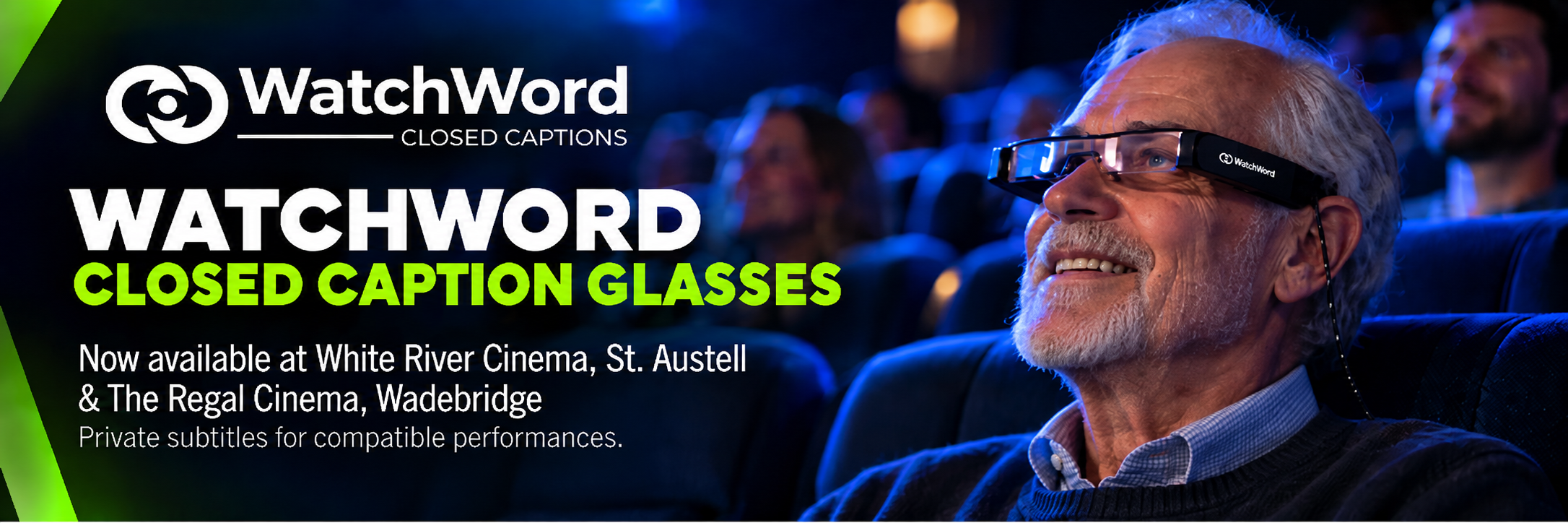
Closed captions are displayed privately in the glasses, so only you can see them.
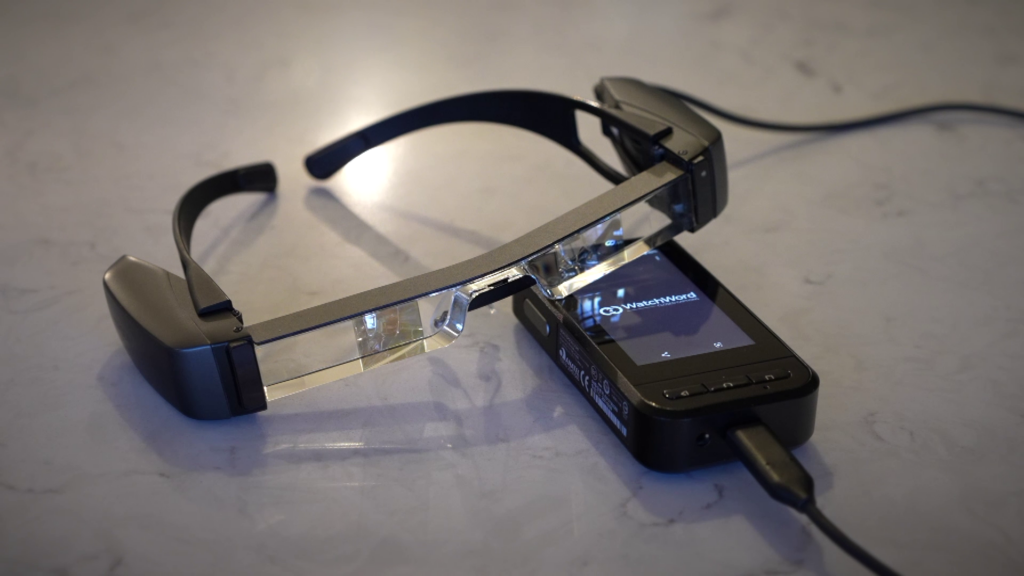
You can adjust the size, position, colour, brightness and viewing depth using the handheld controller, allowing you to find the settings that work best for you.
Look for the “CC” icon
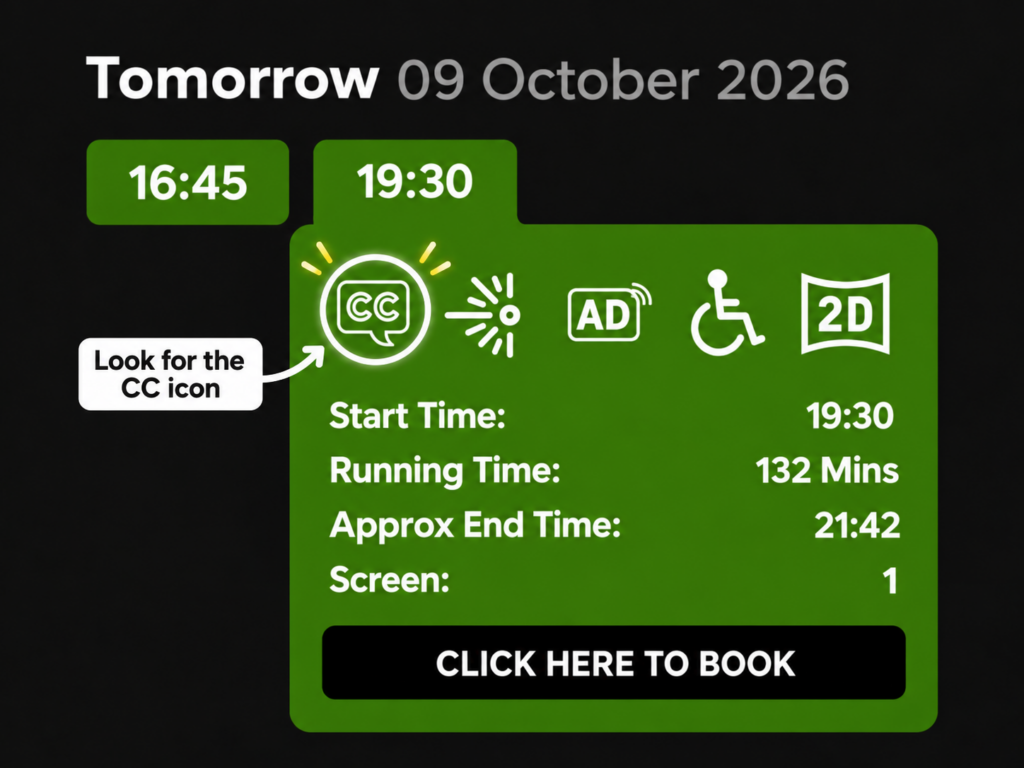
Compatible performances are clearly identified by the CC icon in our website listings. Simply look for the CC symbol when choosing your film and performance time.
Please check before booking
We have a limited number of WatchWord glasses available at each cinema.
Please contact the Box Office before booking your tickets to make sure a pair is available for your chosen performance.
Available at
- White River Cinema, St. Austell
- The Regal Cinema, Wadebridge

Find a CC performance
Look for the CC icon in our website listings.

Contact the Box Office
Check that WatchWord glasses are available for your chosen performance.

Book your tickets
Once availability is confirmed, book your tickets as normal.

Collect your glasses on arrival
Pick up your WatchWord glasses from the Box Office when you arrive at the cinema.

MAKING CINEMA MORE ACCESSIBLE
We’re proud to offer WatchWord closed caption glasses for D/deaf, deafened and hard-of-hearing guests, helping more people enjoy cinema together.
Everything you need to know about WatchWord
Find out how to reserve the glasses, which performances are compatible, how they work during your visit and what other accessibility services are available.
Booking & Availability
How do I know which performances are compatible?
Look for the CC icon in our website listings. If a performance displays the CC icon, the closed-caption feed will be available for use with the WatchWord glasses.
If you're unsure, please contact the Box Office and our team can confirm whether your chosen performance is compatible.
How do I reserve a pair of WatchWord glasses?
You can contact the Box Office by phone or email to reserve a pair. If possible, please give us at least 24 hours' notice so we can make sure a pair is available, prepared and ready for you when you arrive.
Can I ask for the glasses on the day?
Yes. If a pair is available, you can ask for the WatchWord glasses when you arrive.
However, because we have a limited number of sets, we strongly recommend reserving them in advance to avoid disappointment, as all available glasses may already be in use for another performance.
If I reserve a pair, will they definitely be available for me?
Yes. If you reserve a pair in advance, we'll make sure a set of WatchWord glasses is available for you when you arrive for your performance.
Is there a charge to use the WatchWord glasses?
No. There is no charge whatsoever to use the WatchWord glasses.
Do I need to leave a deposit or ID?
No. We do not ask customers to leave a deposit, identification or any other security when using the WatchWord glasses.
If you reserve a pair in advance, we will take your name with the reservation so our team knows which glasses have been set aside for you.
Do I still need to book my cinema tickets separately?
We always recommend booking your seats in advance to avoid disappointment. If you contact the Box Office to reserve a pair of WatchWord glasses, you can also book your cinema tickets at the same time.
Please make sure you choose a performance displaying the CC icon.
Should I arrive early to collect the glasses?
Yes, please arrive a little earlier than you normally would so our team has time to hand the glasses over, make sure they're configured for your auditorium, and answer any questions before the film starts.
Using WatchWord
Will someone help me set up the glasses?
Absolutely. Our team will configure the glasses to receive the caption feed for the auditorium you are visiting before handing them to you.
We'll also show you how to personalise the captions, including adjusting the text size, colour, position, brightness and focus.
Can I adjust the caption settings myself?
Yes. Before the film starts, we can put the glasses onto a test feed so you can get used to the controls and adjust the captions to suit you.
You can change the size, colour, position, brightness and focus of the text, and you're free to make further adjustments at any time during the performance.
When do the captions appear?
Once the test feed has been turned off and the glasses have been switched to the live caption feed, the captions will appear automatically with the main feature.
An increasing number of trailers are also being supplied with compatible caption feeds, so you may see captions during some trailers too.
Can anyone else see the captions?
No. The caption feed is visible only to the person wearing the WatchWord glasses, so other customers in the auditorium won't see the captions.
What information do the captions show?
The captions include spoken dialogue along with other important audio information, such as speaker identification, music and relevant sound effects.
Can I use the WatchWord glasses from any seat in the auditorium?
Yes. The glasses can be used from any seat in the auditorium. We've installed building-wide Wi-Fi coverage to help ensure the caption feed remains reliable throughout the cinema.
Can I wear the WatchWord glasses over my own prescription glasses?
Yes. The WatchWord glasses are designed so they can be worn over most prescription glasses.
We've even had customers comfortably wear their own prescription glasses, a pair of 3D glasses and the WatchWord glasses together for a 3D performance.
Can children use the WatchWord glasses?
Yes. There is no specific age restriction for using the WatchWord glasses. If you're unsure whether they will be suitable for your child, our Box Office team will be happy to help.
Can I use the WatchWord glasses for 3D performances?
Yes, provided that version of the film has been supplied with compatible closed-caption data.
Caption availability can sometimes differ between the 2D and 3D versions of the same film, so please look for the CC icon against the specific performance you want to attend.
Can I use the WatchWord glasses for more than one film on the same day?
Yes. If you're attending more than one compatible performance, you can use the WatchWord glasses again.
Our team may need to reconfigure the glasses for the next auditorium or performance and swap the control/battery pack so they're ready to last for the next show.
What should I do if the glasses stop working during the performance?
In the rare event that the glasses stop working or the captions disappear, please speak to a member of staff and we'll help get you up and running again as quickly as possible.
What should I do with the glasses after the performance?
Please hand the WatchWord glasses and control pack back to a member of staff, or return them to the Box Office when you leave.
Each set is then checked, cleaned and recharged ready for the next customer.
Audio & Other Accessibility Services
Do the WatchWord glasses provide the film's audio?
No. The WatchWord glasses display the closed-caption text only. You'll continue to hear the film normally through the cinema's sound system.
Do the WatchWord glasses provide Audio Description or Audio Boost?
No. Audio Boost and Audio Description are provided through a separate infra-red headphone system using our cinema headsets.
Audio Boost is available for all performances, while Audio Description is available for performances displaying the AD symbol in our listings.
Can I use the WatchWord glasses and the audio headset system at the same time?
Yes. The WatchWord glasses can be used at the same time as our separate Audio Boost or Audio Description headset system.
Performances & Availability
Why do some Event Cinema performances not support the WatchWord glasses?
Some Event Cinema performances are broadcast live to the cinema using systems that do not currently support the separate CCAP closed-caption stream required by WatchWord.
This means that, even where captions may exist in another form, they cannot always be supplied to the glasses during a live Event Cinema performance. Where a performance is compatible, we'll show the CC icon alongside it on our website.
Where are WatchWord glasses currently available?
WatchWord was first introduced at White River Cinema, St. Austell, before being rolled out to The Regal Cinema, Wadebridge.
We hope to bring the system to our other WTW Cinemas locations in the future.